
Sidestep
EQ
v1.1.0 · Open Beta
An EQ with per-band sidechain ducking built in. Up to 24 bands, smart duck per band, built-in compressor with vintage character. Built for modern electronic music production.
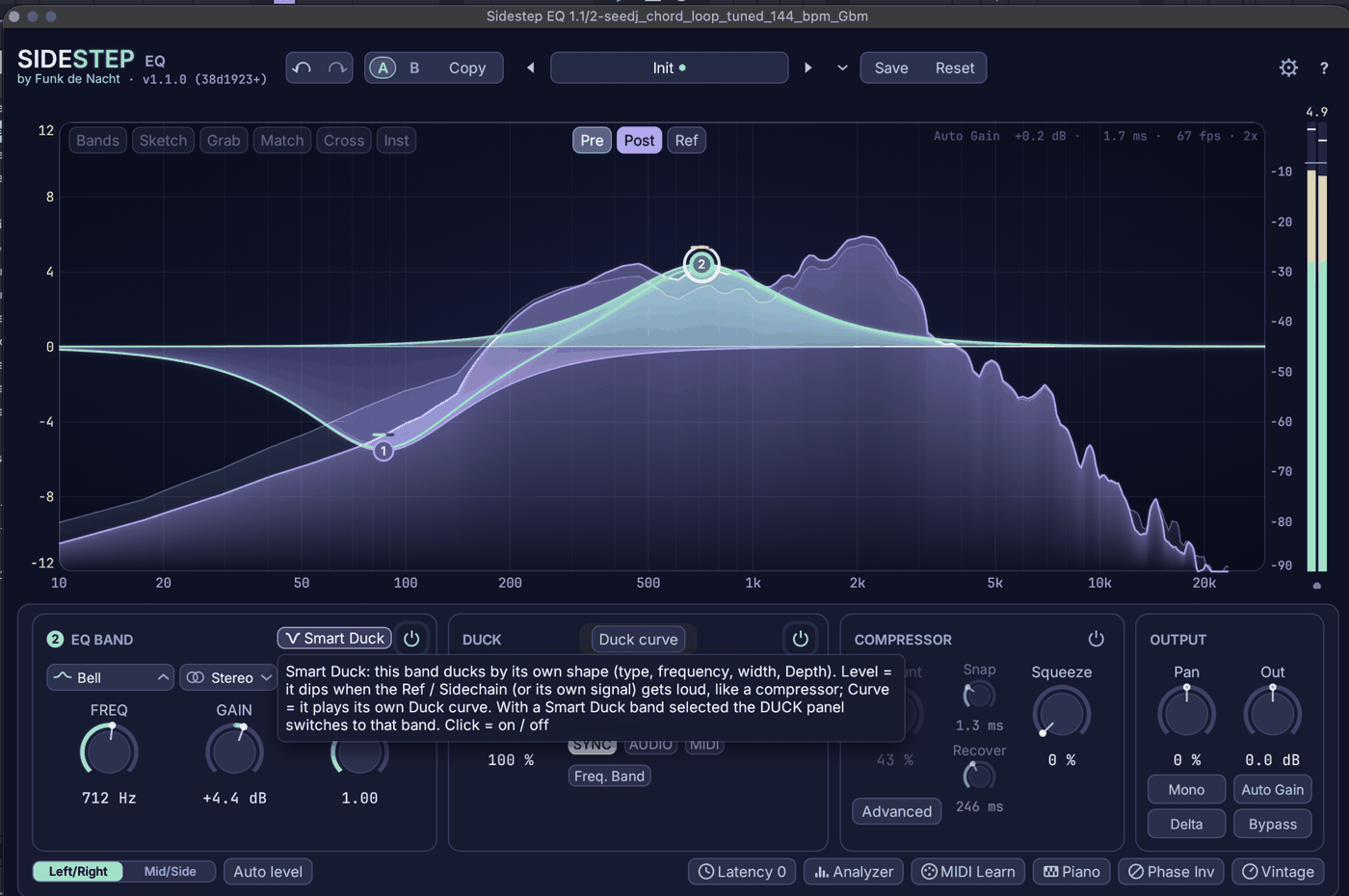
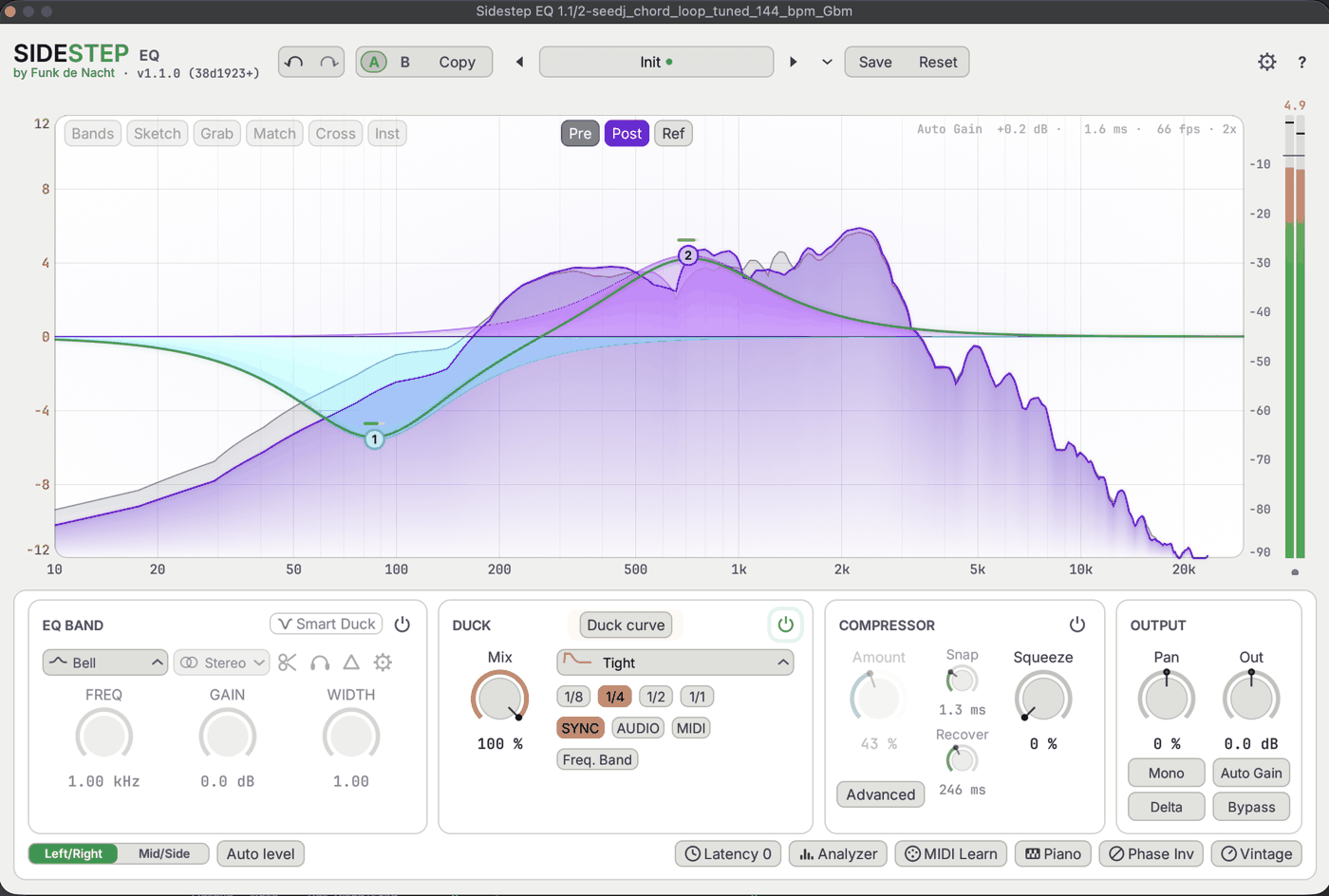
Sidestep EQ v1.1.0 · macOS
Per-band Duck
Sidechain ducking applied individually per EQ band — surgical and fast. Duck exactly the frequencies that need space when the kick hits, leave the rest untouched.
24 Bands
Up to 24 fully parametric EQ bands with peak, shelf, and cut filter types. Hyper-precise frequency sculpting for both mix correction and creative shaping.
Built-in Comp
Integrated compressor with optional vintage character mode. One plugin handles EQ, ducking, and dynamics — fewer inserts, cleaner signal chain.
Linear Phase
Switch to linear-phase mode for zero phase distortion. True latency is reported to your DAW automatically — no manual delay compensation needed.
Auto Gain
Perceived loudness stays constant as you sculpt the curve — no more A/B volume tricks. Compare EQ decisions honestly, not loudness.
Vintage Mode
Adds controlled analogue warmth and harmonic colour. Fully level-matched so toggling it is a pure character comparison — nothing else changes.
- 1 Header: A/B compare and preset controls.
- 2 Undo/redo and copy between A and B slots.
- 3 Preset: save, load and reset your settings.
- 4 Audio From: set the sidechain/reference input.
- 5 Graph: drag nodes to set frequency and gain per band.
- 6 EQ BAND panel: selected band's shape, smart duck, freq/gain/Q.
- 7 DUCK panel: trigger source, depth and frequency range.
- 8 Chip row: Mid/Side, Auto level, Vintage and more.
Double-click anywhere on the graph. A node appears — drag it left/right to set frequency, up/down to set gain. The EQ BAND card below shows its values live.
Enable DUCK and pick the trigger — Sync follows host tempo; Audio listens to your sidechain. Set Audio From in the header to the kick track, then shape the duck depth and curve.
Select a band, switch Smart Duck on, set Audio From to a vocal or reference. That band dips only when the ref is loud — everything else holds.
Enable COMPRESSOR, dial Thr, Snap and Recover. Add Squeeze for density. The Advanced tab holds the full detail controls.
Press Vintage in the chip row for Focus, Heat, Drift and Pultec-style shelves. Auto Gain keeps the comparison level-matched so you hear colour, not volume.
Save and recall settings from the preset box in the header. A/B lets you compare two states instantly — Copy duplicates the current state into the other slot.
Install
Beta
Download and unzip Sidestep-EQ-1.1.0-beta-macOS-arm64.zip
Move Sidestep EQ.vst3 to ~/Library/Audio/Plug-Ins/VST3/
Open your DAW and rescan plug-ins. Sidestep EQ appears under Funk De Nacht.
If macOS blocks the plug-in: System Settings → Privacy & Security → Allow.
Checksum (SHA-256): download .sha256 ↗
Issues or feedback? Contact us — open beta means your input shapes the release.
* Fast duck-curve edges are intentional — the warn threshold is met, no failures. Full test specification ↗
Compatibility & Notes
DAW Compatibility
Ableton Live 11+, Logic Pro 10.7+, Reaper 6+. Other VST3 hosts should work.
CPU & Latency
Zero-latency EQ mode. Compressor adds <1ms look-ahead. Typical load: <2% per instance on Apple M2.
Known Limitations
Beta: no presets yet. Sidechain source must be on a separate track in your DAW. Intel Macs not supported in v1.1.
Roadmap
Preset browser, AU format, Windows VST3, Intel support planned. Tell us what you need.